
Check the Scale Before You Tape: Free PDF Pattern Test Square
Thirty pages printed, trimmed and taped, the pieces cut, and only then the bodice turns out smaller than the size chart promised. One possible cause is a print setting that quietly shrank every page to fit the paper. A PDF pattern test square catches it on the first sheet: print one page, measure one square, then print the rest.
Most PDF patterns put their own test square on the first page, and for that pattern it is the one to trust. This free page is a general printer check for when you do not yet have a pattern-specific test page: a new printer, a print shop, or a pattern whose square is hard to read. It has a 1-inch, a 4 cm and a 10 cm square, a 6-inch ruler and a 15 cm ruler, in US Letter and A4.
It checks your printer and print settings. It cannot verify the scale of a different pattern file, which may use another paper size, page box or print preset, so measure the square inside the pattern as well whenever there is one.
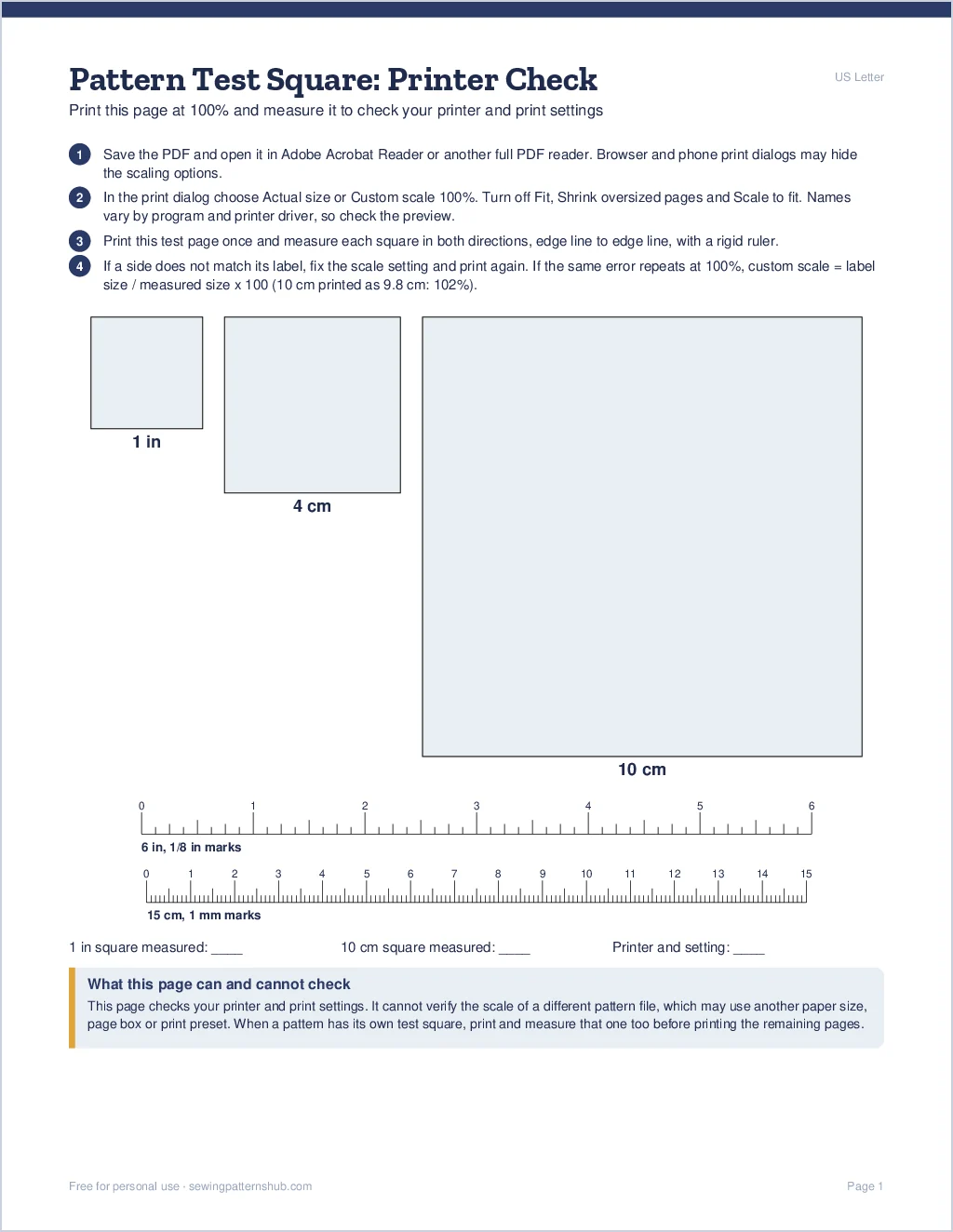
Free PDF pattern test square (PDF, 1 page)
Free for personal use. Print at 100% (Actual size), not Fit to page. This page checks your printer and settings; it does not replace the test square inside a pattern.
How to Print a PDF Pattern Test Square at Actual Size
- Save the file and open it in Adobe Acrobat Reader (free) or another full PDF reader. Browser and mobile print dialogs may hide or rename scaling controls, so a full PDF reader is easier to check.
- In the print dialog, under page sizing, choose Actual size or Custom scale 100%. Make sure Fit and Shrink oversized pages are off. In Preview on a Mac, set Scale to 100% instead of Scale to Fit; option names can differ by macOS version and printer driver, so look at the preview before printing.
- Pick the paper you loaded: the Letter file on Letter paper, the A4 file on A4.
- Print this test page once and measure it. With a pattern, print only the page that holds its test square before the remaining pages.
Measuring the Squares
Use a rigid ruler or a quilting ruler rather than a soft tape, and measure from edge line to edge line in both directions: a page can be off across its width and correct along its length. The 10 cm square shows small errors best, because a 1% error is a full millimeter there and only a quarter of a millimeter on the 1-inch square.
Small errors matter more than they look. A 2% reduction turns a drafted 40-inch circumference into about 39.2 inches, and it also scales the printed seam allowances and markings.
If the Square Is Off
- Still scaled: check the print dialog again. Some printer drivers have their own fit or scaling option under Printer Properties or Preferences.
- Wrong viewer: print from a full PDF reader such as Acrobat Reader instead of the browser or a phone app.
- Wrong paper size: an A4 page printed on Letter paper, or the other way round, invites the printer to scale it.
- Off by the same small amount every time: some printer and driver combinations produce a small repeatable scaling error. Calculate a correction instead of guessing: label size / printed size x 100. A 10 cm square that prints at 9.8 cm gives 10 / 9.8 x 100 = 102%. Set that as the custom scale, reprint and measure again, and use it only if the pattern designer or print shop does not offer another solution.
- Print shop: ask for 100% scale, no fitting to the sheet, and bring the large-format (A0 or copy shop) file if the pattern has one.
Test Square Questions
Does the test square include seam allowance?
No. It only checks the print scale. The seam allowance is set by each pattern and written in its instructions.
Inch square or centimeter square: which one?
Whichever matches your ruler. A correctly printed page gets both right. If one direction or one unit is correct and another is not, measure both directions again, and if the mismatch repeats, hold off on the pattern until the PDF or printer setup has been checked.
Can I print the Letter file on A4 paper?
Use the file made for your paper. A Letter page at 100% on A4 can lose a strip at the edge, and switching on Fit to fix that shrinks it. Some PDF patterns ship one file that fits both sizes, which avoids the problem.
Why does my pattern square measure right but the pieces still fit badly?
Then the print is probably fine and the cause is elsewhere. Common ones include the size choice, the amount of ease in the design, alterations your proportions need, seam allowance missing from the pattern pieces, and pages taped with gaps or overlaps. Matching the page markings closely keeps the taped pattern true.
Printer First, Then the Pattern’s Own Square
Use this pattern test square to confirm that your printer can reproduce a known dimension, then repeat the check with the square inside the actual pattern. If the two results disagree, stop before printing the remaining pages and check the file’s paper size and the scaling settings. The quilt block patterns on this site come as PDF files too, so the same two checks apply.
You May Also Like
The PDF is free for personal use; please share a link to this page rather than the file. Pattern roundups linked from this page may contain affiliate links. Learn more.